
This project describes how to use WebSockets to display data taken from Arduino and broadcast it to any Browser with WebSocket support. Test your browser here: http://websocket.org/echo.html
First of all we need to decide what data to display and what to control in Arduino from the web page .
First of all we need to decide what data to display and what to control in Arduino from the web page .
This project is composed out of 3 main parts of software apart from the hardware(Arduino Board):
- WebSocket Server:
- Python
- Autobahn
- Twisted
- PySerial
- MCU (Micro Controller Unit)
- Arduino Board(Vinciduino in my case).
- Arduino IDE or AVR studio.
- Client:
- Any web server, I use xampp or python to test as localhost.
The WebSocket server I setup is run under Windows XP:
First thing is to install Python in my case I have used v
2.7
On Python I have installed the following packages:
- PIP is a tool for installing and managing Python packages http://pypi.python.org/pypi/pip
- PySerial 2.6 This module encapsulates the access for the serial port so it facilitates the connection between PC and Arduino http://pyserial.sourceforge.net
- Autobahn 0.4.10 Twisted-based WebSockets client and server framework. http://www.tavendo.de/autobahn/
- Twisted An asynchronous networking framework http://pypi.python.org/pypi/Twisted/12.0.0
- ##Update: if you run on Windows 7 you will need to install pywin32 manually: http://sourceforge.net/projects/pywin32/
If you have installed all of the above, download the files of the project from here:
Serial2WS.rar
Now that we have the WS server I will jump to the Arduino side of the project, as said above I will control 3 lights interactivity and I will get real time data from 2 temperature sensors.
Serial2WS.rar
Now that we have the WS server I will jump to the Arduino side of the project, as said above I will control 3 lights interactivity and I will get real time data from 2 temperature sensors.
To accomplish that I have hacked the remote control and
connected it to the Arduino
You can see my setup in the video at the end of the post.
The Arduino sketch for my setup at the end of this entry( too long to put in the middle of the entry)
This sketch sends the values of the 2 temperature sensors
with id = 1 or 2 in format JSON
I would say that this is the most important part of the project, send JSON formated data from arduino to python and then python to digest it and broadcast via WS.Id \t value
   celsius = (float)raw / 16.0;

   //Sending JSON
    Serial.print(id);
    Serial.print("\t");
    printFloat(celsius , 0);
    Serial.println();
    //finish sending JSON
later this data is read by the WebSocket server and dispatch to the browser.def lineReceived(self, line):
try:
## parse data received from MCU
##
data = [int(x) for x in line.split()]
## construct PubSub event from raw data
##
evt = {'id': data[0], 'value': data[1]}
## publish event to all clients subscribed to topic
##
self.wsMcuFactory._dispatchEvent("http://example.com/mcu#analog-value", evt)
log.msg("Analog value: %s" % str(evt));
except ValueError:
log.err('Unable to parse value %s' % line)
In order to display the values given by Arduino and received by
the Websocket server I am using Smoothie
Charts; is a really small charting library designed for live streaming data.(
http://smoothiecharts.org/)

The final results as you see in the video and screenshots.
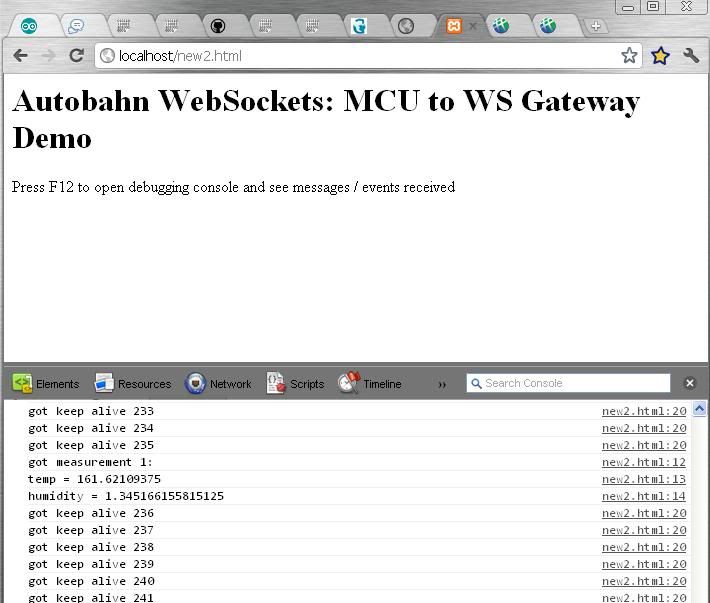
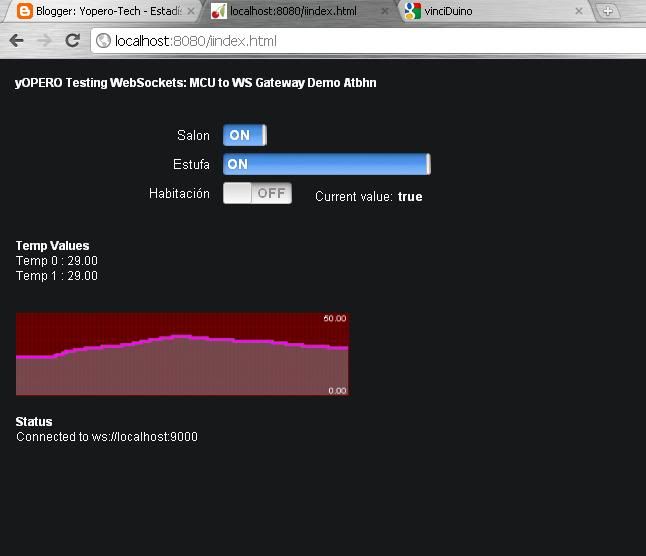
In the future I will try to load the WebSocket(C++)client directly to a Arduino with an ethernet shield to avoid the use of a PC, but I am not sure how it will impact the infrastructure side of my LAN(opening ports).
Click "Mas informacíon" to preview the Arduino code
